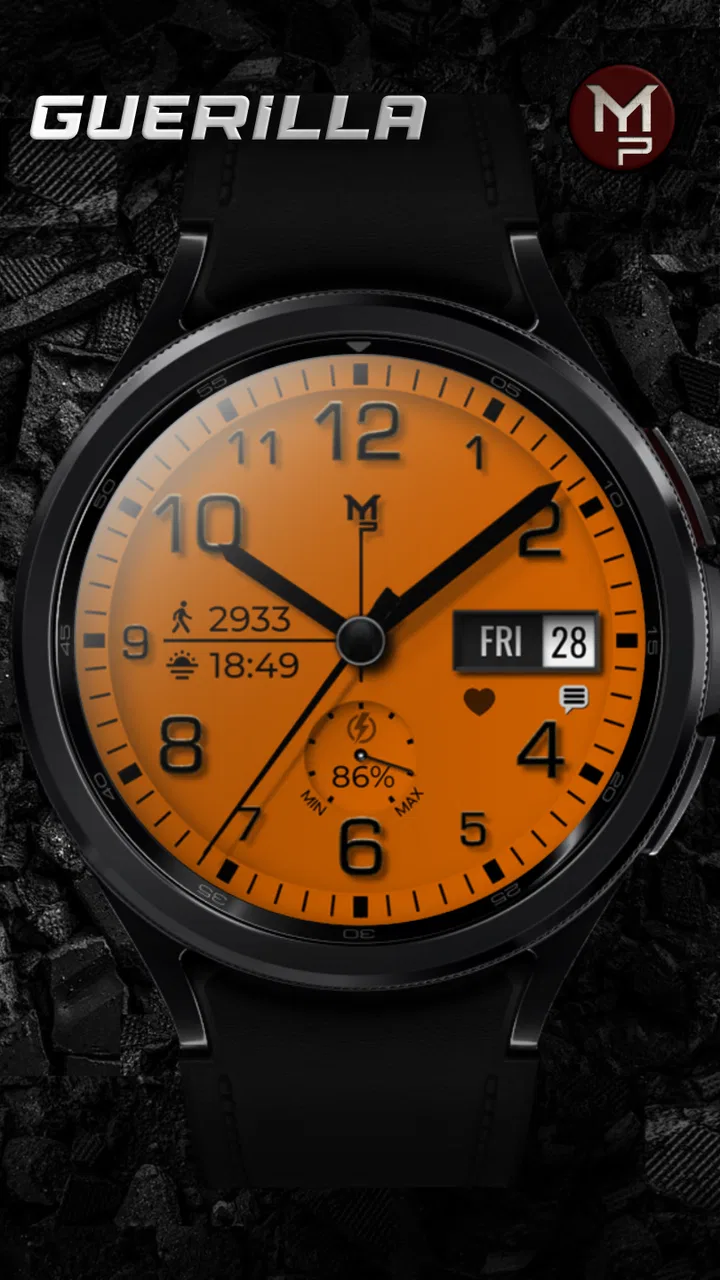
GUERILLA - Analog watch face
- 4.5
- Rating
- 10.00K
- Installs
- $1.49
- Price
 Analysis by App-foxy
I tried GUERILLA - Analog watch face as a small personalization purchase for Wear OS, and my first impression was that its appeal comes from changing the character of a watch rather than adding another phone-style utility. The store summary describes it as a customizable digital watch face, while the short label is simply “GUERILLA.” That combination suggests a design-led choice: you are buying a different way to look at your wrist, not a replacement for a full smartwatch app.
That distinction matters. Watch faces are used dozens of times a day, often in a second or two, so a face can be worthwhile even when it does only one job well. At the same time, the setup experience has to be clear. A beautiful face that does not appear on the watch, does not refresh properly, or makes the time difficult to read will quickly become frustrating. My review therefore focuses as much on practical use and recovery as on the visual idea behind this Wear OS app.
What makes the face worth trying
The strongest reason to consider this app is its focus. GUERILLA is made for someone who wants to personalize a Wear OS watch with an analog-inspired presentation while retaining the convenience of a digital watch face. That hybrid direction is more interesting than simply installing another plain clock: it gives the watch a more deliberate identity without requiring a new physical strap or case.
You May Also Like

 Blood Strike: 2.5 Anniversary
Blood Strike’s Loadouts Turn Every Drop Into a Tactical Gamble
A close look at Blood Strike’s custom loadouts: how fast access to signature weapons reshapes its battle royale rhythm, rewards preparation, and narrows the gap between fights.

 Pandora - Music & Podcasts
Pandora’s Music Is Easy to Start, but Harder to Recover
Pandora’s strength is its low-effort path from a seed to a station. Its weak spot is how much confidence it asks you to place in connection, setup, and quiet recovery.

 8 Ball Pool
8 Ball Pool Is Built on Rivalries, Rematches, and Routine
A close look at the rivalries, rematches, shared routines, and unanswered safety questions that turn a quick pool match into a persistent mobile community.

 Samsung Music
Samsung Music’s Quiet Strength Is Playing What You Already Own
Its reach comes less from spectacle than from dependable access to a personal library. That simplicity is both the app’s strongest retention engine and its ceiling.

 AccuWeather: Weather Radar
AccuWeather Review: A Quick, Clear Forecast for Everyday Decisions
For everyday plans, the best forecast is the one you can understand quickly. AccuWeather makes rain timing, radar, and local conditions easy to act on, with a few trade-offs.

 Hill Climb Racing
Why Hill Climb Racing Still Turns Crashes Into One More Run
A tiny car, a bumpy hill and one more upgrade: Hill Climb Racing keeps resurfacing because its simple chaos makes every near-miss feel personal.
More From Our News Desk



I also like the fact that the app sits in the Personalization category rather than pretending to be a productivity tool. That sets a sensible expectation. You should judge it by readability, appearance, customization, and how naturally it fits your routine. If you expect built-in task management, extensive health analysis, or a complete information dashboard, you are looking in the wrong place.
The developer is p10trm, and the app has reached a 4.5 average from around 219 ratings, with over 10K installs. Those figures make it a relatively established choice among the people who have discovered it, while still leaving room for a more individual experience than the most familiar default faces. It costs $1.49, which places it in the inexpensive paid-customization range rather than the “try everything for free” group.
That price changes how I evaluate it. I would not buy it expecting a large ecosystem or constant novelty. I would buy it if the face’s style suits my watch and I expect to keep it active for weeks or months. A paid face has to earn its place through daily comfort: quick time reading, a layout that does not become tiring, and customization that helps rather than creates a second job.
Where setup can become confusing
The first hurdle with any Wear OS face is often not the face itself. It is the relationship between the phone, the watch, the Play Store account, and the current watch-face selector. A user may install the app on the phone and assume the face has already been applied, then wonder why the watch still shows the previous design. In practice, the important step is to check the watch’s own face selection area after installation and look for GUERILLA there.
If it does not appear immediately, I would avoid repeatedly tapping install. First check that the watch is paired and connected, then open the watch-face picker directly on the wearable. A short delay between phone installation and watch availability can make the process look broken when it is merely unfinished. Restarting the watch or reopening the companion store is a reasonable general recovery step, but I would do that only after checking the connection.
Another common source of confusion is the difference between installing a face and configuring it. The face may be present but still use its default arrangement. On Wear OS, customization can be reached from the face picker, from a settings button, or through the phone-side installation flow depending on the watch and system version. If one route is not visible, I would try the watch itself rather than assuming the purchase failed.
The most useful first check is simple: confirm that the watch is displaying the face before judging its customization. It is easy to spend time looking through phone menus while the actual controls are waiting in the wearable’s face settings.
Checks that save time before daily use
Once the face is active, I would test it in the conditions where I normally read my watch. Look at it indoors, outdoors, while walking, and with the screen at its low-power state if your watch uses one. A face that looks excellent in the bright setup preview can feel different when viewed quickly in shade or with the wrist tilted.
I would also check whether the selected visual arrangement makes the hands and digital elements easy to distinguish. Analog layouts can be attractive but slower to scan when the background, markers, and hands compete for attention. If GUERILLA offers choices that affect contrast or information placement on your particular Wear OS model, I would prioritize legibility over the most dramatic combination.
Battery expectations are another practical check. A watch face is active throughout the day, so every decorative choice should be considered alongside your watch’s normal endurance. I would not assume that a visually simple face automatically has no effect on battery life, nor would I blame this app for every change in battery performance. Screen brightness, health tracking, notifications, workouts, wireless connections, and the watch’s age can matter far more.
The face is rated for Everyone, which makes it an approachable choice for general users. That does not mean every layout will suit every wearer. Someone with reduced vision may need a much larger, higher-contrast design, while a person who relies on seconds, frequent complications, or dense information may prefer a face built specifically around those needs.
A better way to configure it
I found that the best approach to a customizable face is to start with one purpose instead of changing everything at once. Decide whether your priority is fast time reading, a cleaner formal look, or a more distinctive appearance. Then alter one element and wear it for a full part of the day before making another change. This prevents the familiar problem of building a visually busy face that seems exciting for five minutes but slows down every glance afterward.
For work, I would favor a restrained arrangement with strong separation between the analog hands and any digital text. For exercise or commuting, I would test the face while moving rather than standing still with the watch close to my eyes. For evenings or formal clothing, I would reduce visual clutter and check that the design still feels intentional when the display is dim.
A less obvious benefit of this method is that it reveals whether customization is actually useful. Some options improve the face’s function; others only change its mood. That is not a criticism, because personalization is the point, but it helps you decide whether the $1.49 purchase is giving you daily value or merely a short-lived novelty.
Recovering when the face disappears
If the watch suddenly returns to another face, I would first open the installed faces on the watch and select GUERILLA again. A watch can change its active face after a restart, an accidental long press, a system update, or an interaction with a saved face list. Reapplying it is a more useful first move than uninstalling and buying again.
If it is missing from the selector, I would check the watch’s connection to the phone and confirm that the same account used for the purchase is active in the relevant store. I would then reopen the store on the watch, allow the device a little time to synchronize, and restart both devices if necessary. These are deliberately basic steps, but they address the most likely handoff problems without inventing a special fix for the app.
I would also avoid clearing data or removing the application as an early response. That can erase local preferences or create another installation problem without addressing the original cause. If the face is visible but its appearance has reset, reconfigure it from the active face’s edit screen first. If only one setting seems wrong, changing that setting is safer than rebuilding the entire arrangement.
When a face appears on the phone but not on the watch, the important question is where the installation stopped. The phone can show that an app is associated with your account, while the wearable still needs to receive or activate the face. Treat those as separate checkpoints: account and purchase, device installation, then active selection.
When the watch or system is the real problem
Not every failure that happens while GUERILLA is selected is caused by GUERILLA. If the entire watch is slow, several faces fail to load, notifications are delayed, or the battery drops sharply across different designs, I would investigate the watch software and background activity before blaming this particular face. A system update, limited storage, a weak connection, or a crowded set of active services can create symptoms that look app-specific.
The same applies to display behavior. If the screen remains dark, wakes inconsistently, or changes brightness unexpectedly with multiple watch faces, the issue is more likely related to screen settings, wrist detection, battery mode, or the hardware itself. Testing another installed face for a short time can help separate a face-specific issue from a broader wearable problem. This comparison is more informative than repeatedly reinstalling one app.
Compatibility also deserves a realistic view. GUERILLA is a Wear OS watch face, so it is not the right purchase for a device that does not use Wear OS, even if the phone itself is Android. iPhone ownership does not automatically answer the compatibility question either; the deciding factor is the watch platform and the installation path available for that watch. Before paying, I would verify that the intended wearable can install Wear OS faces through its normal store.
That is one situation where a different option is better. If your watch is outside the Wear OS family, choose a face made for its own platform. If you need a face tightly integrated with a manufacturer’s health features or proprietary widgets, the default catalog may provide a smoother experience. GUERILLA makes more sense when the device is compatible and your priority is a distinctive clock presentation.
Who will get the most from it
I see this app working best for a wearer who is tired of the stock face but does not want a complicated dashboard. It is also a good fit for someone who treats a watch as part of an outfit and wants a more recognizable visual style. The analog influence can make a smartwatch feel less like a miniature phone and more like a personal accessory.
It may be especially appealing if you alternate between practical and expressive modes. A customized face can support a quiet office look, a casual weekend style, or a more rugged appearance without changing the hardware. The useful trick is to save a configuration that you can read instantly, then use other adjustments for occasions where appearance matters more than speed.
I would skip it if your main requirement is maximum information per glance. Users who need many complications, detailed weather, constant calendar visibility, or specialized fitness data should compare it with information-heavy faces before purchasing. I would also skip it if you dislike paid experimentation and have not yet decided whether an analog-digital style suits you. Free alternatives are a better way to test that preference.
My practical verdict
GUERILLA - Analog watch face is a focused personalization app rather than an all-purpose smartwatch tool. I like that it gives the watch a more considered identity and that the price is modest enough for a deliberate purchase. The 4.5 average and reception from over 10K installs suggest that it has found an audience, but those figures should support your decision rather than replace a compatibility and readability check.
My recommendation is to install it when you already know your Wear OS watch handles third-party faces comfortably and you want a customizable design with an analog character. Take a few minutes to verify the active face on the watch, test it in real lighting, and adjust for quick reading before chasing decorative changes. Those steps remove most avoidable friction.
I would not recommend it as a universal choice for every smartwatch owner. It is not the best direction for people who want a dense data panel, a platform outside Wear OS, or a completely free catalog. For the right wearer, though, it offers a reasonably priced way to make a familiar watch feel less generic. Released on Apr 1, 2025, it is a relatively recent option, and its strongest quality is its clear purpose: a personal visual upgrade for everyday Wear OS use, provided the style and platform match what you actually need.
FAQs for GUERILLA - Analog watch face
01What is GUERILLA - Analog watch face?
GUERILLA - Analog watch face is a military-inspired watch face designed for compatible Wear OS smartwatches. It presents the time in an analog format with a rugged, tactical appearance and may include practical information such as the date, battery level, or other customizable indicators. Its design is aimed at users who prefer a bold, functional style rather than a traditional or minimalist watch face.
02Which smartwatches are compatible with GUERILLA - Analog watch face?
Compatibility depends on the version of Wear OS supported by your smartwatch and the requirements listed on the Google Play Store. It is generally intended for Wear OS devices, but not every older watch or non-Wear OS model will work. Before downloading, check the store listing and confirm that your specific watch appears among the supported devices. Installation availability can also vary by phone, region, and operating system version.
03Can I customize the GUERILLA watch face?
The available customization options depend on the release installed on your watch. Users may be able to adjust colors, complications, display information, or other visual elements through the watch-face settings. However, customization is not necessarily unlimited, and some features may be restricted by the device or application version. After installation, open the watch-face configuration screen on your smartwatch to see which options are available.
04Does GUERILLA - Analog watch face affect battery life?
Like any active watch face, GUERILLA may have some effect on smartwatch battery consumption, particularly when it uses bright colors, animated elements, frequent updates, or complications that constantly retrieve information. In normal use, the impact should depend largely on your watch model and selected settings. Choosing a simpler display, reducing always-on brightness, and limiting unnecessary complications can help preserve battery life.
05Is GUERILLA - Analog watch face free to download and use?
The price and included features can change, so users should verify the current Google Play Store listing before downloading. Some versions of watch faces are free, while additional customization tools or premium editions may require payment. Also check whether the application contains advertisements, optional purchases, or separate installation steps for the phone and smartwatch. Reading the latest store information helps avoid unexpected costs or compatibility issues.
Pros
- Clean
- military-inspired design suits casual and outdoor styles.
- Analog layout makes the time easy to read at a glance.
- Offers a distinctive alternative to standard digital watch faces.
- Compact visual style keeps the watch screen from feeling cluttered.
- Works well for users who prefer a rugged
- understated appearance.
Cons
- May feel too plain for users wanting colorful or highly animated faces.
- Small details can be difficult to see on watches with compact displays.
- The tactical style may not match formal or business outfits.
- Limited visual variety could reduce long-term appeal for some users.
- Battery impact may vary depending on complications and display settings.

GUERILLA - Analog watch face
Gallery